Your website or app is often the first place a customer meets your brand. If it is confusing, slow, or hard to use, people leave within seconds. If it feels clear and effortless, they stay, explore, and buy. That difference comes down to UI UX design.
In this guide, we explain what UI UX design is, how UI and UX differ, how the design process works, and why it matters for your business. We also share how our team at Media Mine 360 applies it in real projects.
What Is UI UX Design?
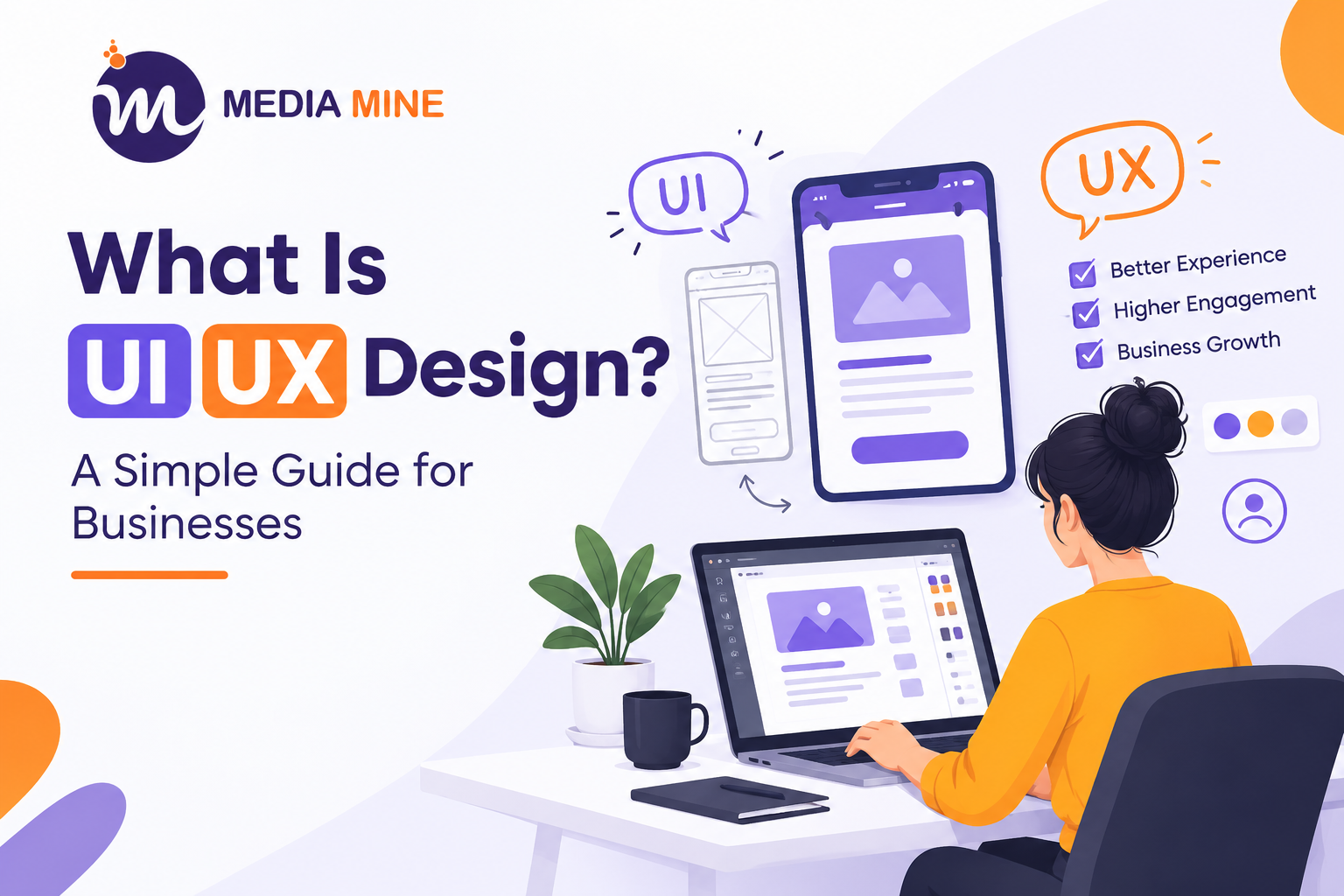
UI UX design is the practice of shaping how a digital product looks and how it works for the people using it. The term combines two disciplines:
- UI (User Interface) design covers the visual side: layouts, colors, typography, buttons, icons, and everything a user sees and touches.
- UX (User Experience) design covers the overall experience: how easy the product is to understand, how smoothly a user completes a task, and how they feel while doing it.
Good UI UX design makes a product useful, easy, and enjoyable. Users should never have to think about how to use it, because it simply works.
Difference Between UI and UX Design
People often use the two terms as if they mean the same thing. They are closely connected, but not identical.
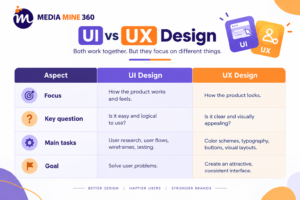
A simple analogy: if a website were a house, UX is the floor plan, deciding where rooms go and how you move between them. UI is the paint, furniture, and lighting. A beautiful house with a bad floor plan is frustrating to live in, and a great floor plan with no finishing feels unfinished. You need both.
Why UI UX Design Matters for Your Business
Design is not just decoration. It directly affects your results.
1. Higher conversions. When users can find what they need and complete actions easily, more of them become customers, whether that means buying, booking, or signing up.
2. Lower bounce rates. A clear layout and fast, intuitive navigation keep visitors on your site longer.
3. Stronger brand trust. A polished, consistent interface tells customers you are professional and reliable.
4. Better customer retention. People return to products that feel easy and pleasant to use.
5. Lower development costs. Fixing usability problems at the design stage is far cheaper than rebuilding a live product later.
6. A competitive edge. In crowded markets, many businesses offer similar products. The experience is often what makes customers choose you.
The UI UX Design Process: Step by Step
A professional UI UX design process is structured and research-driven. Here is how it typically works.
Step 1: Discovery and research. We start by understanding your business goals, target audience, and competitors. UX research through interviews, surveys, and analytics reveals what users actually need.
Step 2: Defining the problem. Research findings are turned into user personas, user journeys, and clear problem statements, so every design decision has a purpose.
Step 3: Information architecture. We organize content and navigation so users can find things logically and quickly.
Step 4: Wireframing. Wireframes are simple layout sketches that show structure and functionality without visual styling. They let us test ideas cheaply before investing in detailed design.
Step 5: Visual design (UI). Here the interface comes to life with your brand colors, typography, imagery, and components, all designed for clarity and consistency.
Step 6: Prototyping. An interactive prototype, usually built in tools like Figma, lets you click through the product before a single line of code is written.
Step 7: Usability testing. Real users try the prototype, and we refine the design based on their feedback.
Step 8: Development handoff and iteration. Developers receive organized design files and specifications. After launch, we keep improving the product using real user data.
Key Principles of Good UI UX Design
- Simplicity: Remove anything that does not help the user.
- Consistency: Similar elements should look and behave the same way across the product.
- Clear hierarchy: Guide the eye to the most important content first.
- Accessibility: Design for everyone, including users with visual, motor, or cognitive impairments.
- Responsiveness: The experience must work well on mobile, tablet, and desktop.
- Feedback: Let users know their actions worked, through messages, animations, or state changes.
Case Study: UI UX Design for GutscheinCloud.de
Project: GutscheinCloud.de, a German voucher and coupon platform
Our role: UX research, UI design, and prototyping
The challenge
Coupon and voucher platforms have a tough design problem. Users arrive with one goal: find a working deal quickly. They are surrounded by competitors, and they leave fast if the page feels cluttered, confusing, or untrustworthy. GutscheinCloud needed an interface that made it easy to discover deals, understand each offer at a glance, and copy or redeem a code without friction.
Our approach
- User and competitor research: We studied how German shoppers search for vouchers and what frustrates them on other deal platforms, such as cluttered listings, unclear expiry dates, and hard-to-find codes.
- Simplified navigation: We reorganized categories and search so users can reach a store or deal in a few clicks.
- Clear deal cards: We redesigned each offer with a strong visual hierarchy: store name, discount value, validity, and a prominent call to action.
- Trust-focused UI: Consistent styling, readable typography, and clear labeling helped users feel confident that offers were genuine and current.
- Mobile-first design: Since most people hunt for deals on their phones, we designed for small screens first and scaled up to desktop.
- Prototype and testing: We built an interactive prototype in Figma and refined the layout before development.
The results
- Easier deal discovery: Users can now find stores and offers in fewer clicks, thanks to cleaner categories and simpler search.
- Clearer offers: Redesigned deal cards show the discount, validity, and call to action at a glance, so visitors no longer have to hunt for details.
- Stronger trust: A consistent, professional interface makes the platform feel more reliable, which matters when users are about to redeem a code.
- Better mobile experience: The mobile-first layout makes browsing and copying codes smooth on smaller screens.
- Development-ready design: Organized Figma files and a tested prototype gave the development team a clear blueprint and reduced rework.
This project shows how research-led design turns a frustrating experience into one that supports business growth.
When Should You Invest in UI UX Design?
Consider professional design help if:
- Your website gets traffic but few inquiries or sales
- Users complain that your app or website is confusing
- Your design looks outdated compared to competitors
- You are launching a new website, app, or SaaS product
- You are planning a redesign and want to avoid costly mistakes
If any of these sound familiar, our UI UX design services can help. We combine research, strategy, and creative design to build digital experiences that users enjoy and businesses profit from.
Frequently Asked Questions (FAQs)
1. What is UI UX design in simple words?
UI UX design is the process of making websites and apps look good (UI) and work easily (UX). Together, they ensure users can find what they need and enjoy the experience.
2. What is the difference between UI and UX design?
UX design focuses on how a product works and feels, including user flows and ease of use. UI design focuses on how it looks, including colors, buttons, and layouts.
3. Why is UI UX design important for a business?
It improves usability, builds trust, reduces bounce rates, and helps convert more visitors into customers. It also saves money by preventing costly redesigns later.
4. How long does a UI UX design project take?
It depends on the project size. A small website may take a few weeks, while a complex app or platform can take a few months. Research, testing, and revisions all affect the timeline.
5. Do I need both a UI designer and a UX designer?
Ideally, yes, as the two roles complement each other. Many agencies, including MediaMine360, offer both together so your product looks great and works well.
6. Which tools are used in UI UX design?
Common tools include Figma, Adobe XD, Sketch, and Miro for wireframing, prototyping, and collaboration.
7. How much do UI UX design services cost?
Cost depends on scope, complexity, number of screens, and research depth. A custom quote based on your requirements is the most accurate way to budget.
8. Can UI UX design improve my website’s SEO?
Yes, indirectly. Better navigation, faster load times, mobile responsiveness, and lower bounce rates all support stronger search performance.
Conclusion
UI UX design is more than making things look attractive. It is about understanding your users and building experiences that help them and your business succeed. Whether you are launching something new or fixing an existing product, thoughtful design is one of the best investments you can make.
Ready to improve your digital experience? Contact MediaMine360 to discuss your project with our design team.