
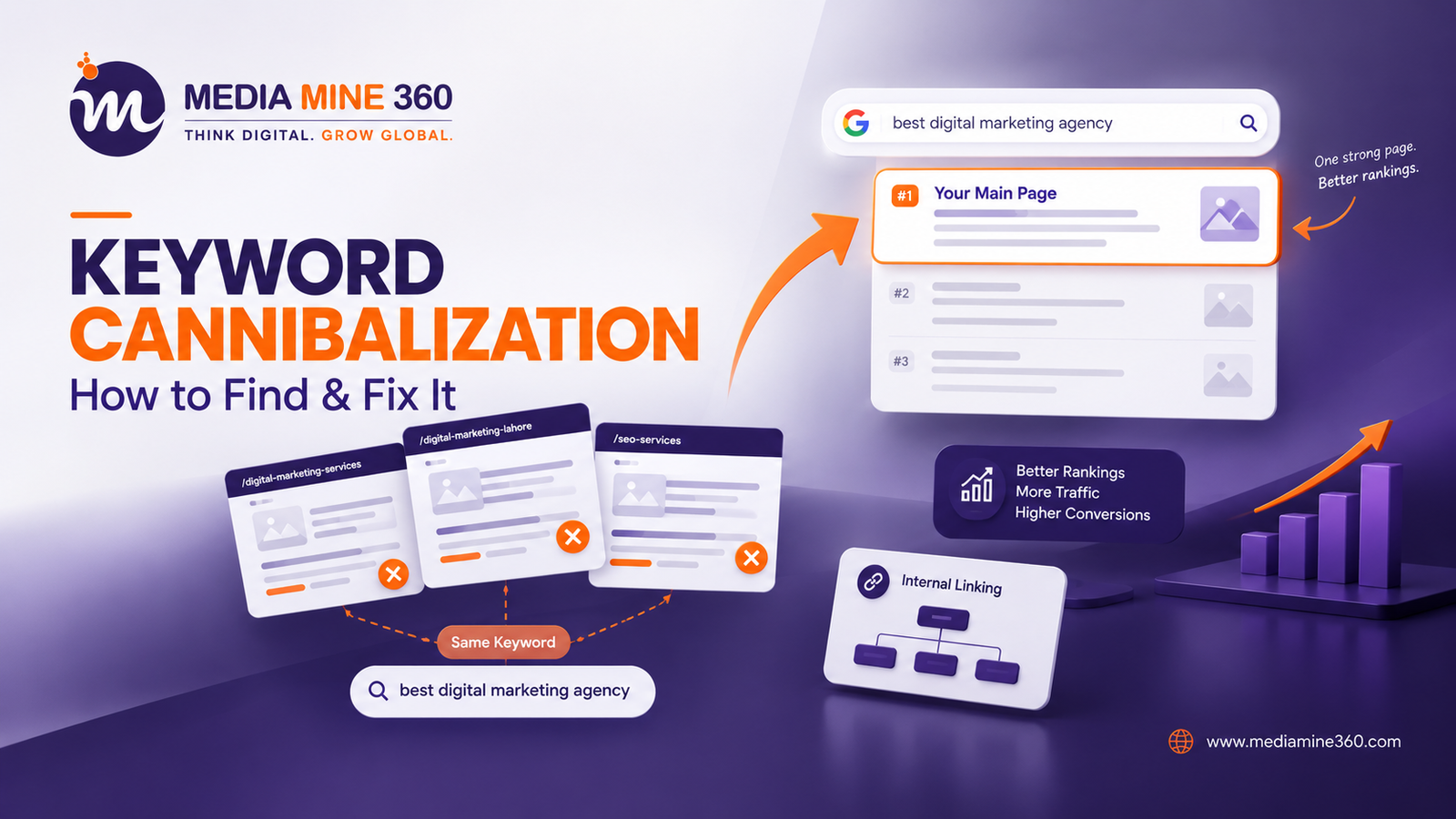
Have you ever published a new blog post expecting it to rank, only to watch it drag down an older page instead of climbing the search results itself? If this sounds familiar, your site may be suffering from keyword cannibalization.
It doesn’t look like a mistake at first. You’re publishing more content, covering more topics, and staying active on your blog. But behind the scenes, your own pages might be fighting each other for the same spot on Google and nobody wins that fight.
In this guide, we’ll break down what keyword cannibalization really means, why it quietly damages your rankings, how to detect it, and the exact steps to fix it for good. If you’re still building out your content strategy, pairing this fix with our professional SEO services will help you avoid the same issue in future campaigns.
What is keyword cannibalization?
Keyword cannibalization happens when two or more pages on the same website target the same keyword or the same search intent. Instead of one strong page ranking on top, Google gets confused about which page to show, so it splits ranking signals like backlinks, clicks, and relevance across multiple URLs.
The result? Neither page performs as well as it could if all that authority were focused on a single, well-optimized page.
Think of it like two employees at the same company competing for the same client. Instead of one of them closing the deal confidently, they undercut each other, and the company loses the sale altogether. That’s exactly what happens to your rankings.
Why Keyword Cannibalization Hurts Your SEO
Cannibalization isn’t just a minor inconvenience; it has real, measurable effects on your site’s performance.
| Impact | What Happens |
|---|---|
| Diluted ranking signals | Backlinks and authority get spread across multiple pages instead of strengthening one. |
| Ranking fluctuations | Google alternates which page it shows, causing unstable positions in search results. |
| Lower click-through rate | Weaker, lower-ranking pages get shown instead of your best content. |
| Wasted content effort | Time spent creating duplicate content that competes with your own work |
| Confused user experience | Visitors land on the “wrong” page that doesn’t fully answer their query. |
| Reduced conversions | Traffic is split, so fewer visitors land on your best-converting page. |
Common Causes of Keyword Cannibalization
Most sites don’t create this problem on purpose. It usually builds up gradually. Here are the most common causes:
- Publishing similar blog topics over time without checking what’s already on the site
- Targeting the same keyword in both a service page and a blog post
- Using near-identical titles across multiple articles
- Category and tag pages that overlap with main content pages
- E-commerce product pages with nearly identical names or descriptions
- Multiple landing pages created for different campaigns but the same keyword
A well-planned content writing strategy can prevent most of these issues before they start, since every new piece is mapped against existing content from the outset.
How to Identify Keyword Cannibalization
Before fixing anything, you need to know exactly which pages are competing. Here’s how to find out:
1. Use Google Search Console.
Open Google Search Console, go to Performance → Search Results, filter by a specific keyword, and check the Pages tab. If you see multiple URLs receiving impressions for the same query, that’s a red flag.
2. Run a Site Search Operator
Type this directly into Google:
site:yourdomain.com "your target keyword"If several of your own pages show up for the same term, they’re likely competing.
3. Use an SEO Tool
Platforms like Semrush, Ahrefs, and SE Ranking offer dedicated cannibalization reports that automatically flag overlapping pages based on tracked keywords.
4. Check Ranking Volatility
If a page’s position keeps jumping between, say, position 6 and position 14 for the same keyword, that instability often points to cannibalization rather than a normal ranking fluctuation. Google’s own SEO Starter Guide also recommends keeping one clear, authoritative page per topic to avoid exactly this kind of conflict.
How to Fix Keyword Cannibalization
Once you’ve identified the competing pages, choose the right fix based on your situation:
| Situation | Recommended Fix |
|---|---|
| Two pages are nearly identical. | Merge them into one comprehensive page. |
| One page is outdated and weaker. | 301 redirects it to the stronger page. |
| Pages serve different search intents. | Differentiate content and re-optimize each for its own keyword. |
| Duplicate blog topics | Consolidate into a single, in-depth resource. |
| Overlapping product pages | Use canonical tags to indicate the primary page. |
Step-by-Step Fix Process
- Audit your content – List every page targeting similar keywords using Search Console or an SEO tool.
- Decide: merge or differentiate – If the pages serve the exact same intent, merge them. If the intent is genuinely different, refine each page’s focus.
- Update internal links – Point internal links to the page you want to rank, instead of splitting link equity.
- Apply redirects or canonicals – Use 301 redirects for merged content or canonical tags for near-duplicate product pages.
- Re-optimize the surviving page – Strengthen it with better on-page SEO, updated content, and a clear target keyword.
- Monitor performance – Track rankings for 4–6 weeks after the fix to confirm improvement.
How to Prevent Keyword Cannibalization Going Forward
Prevention is far easier than fixing the problem after it happens. Keep these practices in mind:
- Maintain a keyword map — a simple spreadsheet showing which keyword is assigned to which page
- Before publishing new content, search your own site for the target keyword
- Assign each page a single, clear search intent (informational, commercial, or navigational)
- Avoid reusing the same primary keyword across multiple blog posts
- Review your content library every few months to catch overlaps early
If keyword mapping and content audits feel overwhelming to manage in-house, our SEO experts can set up a full keyword map for your site and keep it updated as you scale.
Frequently Asked Questions
Is keyword cannibalization always bad? Not always. If two pages genuinely serve different search intents — for example, one is a beginner’s guide and the other is a technical comparison — they can coexist without harming each other.
How many pages does it take to cause cannibalization? Even two pages targeting the same keyword and intent are enough to start splitting your rankings.
Can keyword cannibalization affect e-commerce sites more? Yes. Online stores often have many product pages with similar names, descriptions, or categories, making cannibalization more common and harder to spot.
Final Thoughts
Keyword cannibalization is one of those SEO issues that hides in plain sight. Your site looks active, your content calendar is full, yet your rankings don’t move the way they should. The fix isn’t about publishing less it’s about giving every page on your site a clear, distinct purpose.
Once you identify overlapping pages and consolidate or differentiate them properly, you send a clean signal to search engines about exactly which page deserves to rank and that clarity is what turns scattered effort into real, measurable growth. For tools that track ranking overlaps automatically, platforms like Semrush’s Cannibalization Report are worth exploring alongside your ongoing SEO work.
Want to see how we’ve helped other businesses fix similar SEO issues? Check out our case studies or get in touch with our SEO team for a free site audit.